
how it works
Set it up once. Xochi keeps it current.
-
Start a family
Download Xochi, sign in with Apple, and invite your people with a code. A grown-up sets up each kid's account.
-
Connect your calendars
Each grown-up connects Google Calendar, Outlook or Apple Calendar, or adds a calendar link. Connect Gmail or Outlook mail too, and Xochi checks new email in your main inbox for bookings and schedules.
-
Connect the other home if you have one
Kids in two homes? Connect with the other household. Both families agree first, and each picks which events the other sees.
what Xochi does
One app for the whole family's week
the family calendar
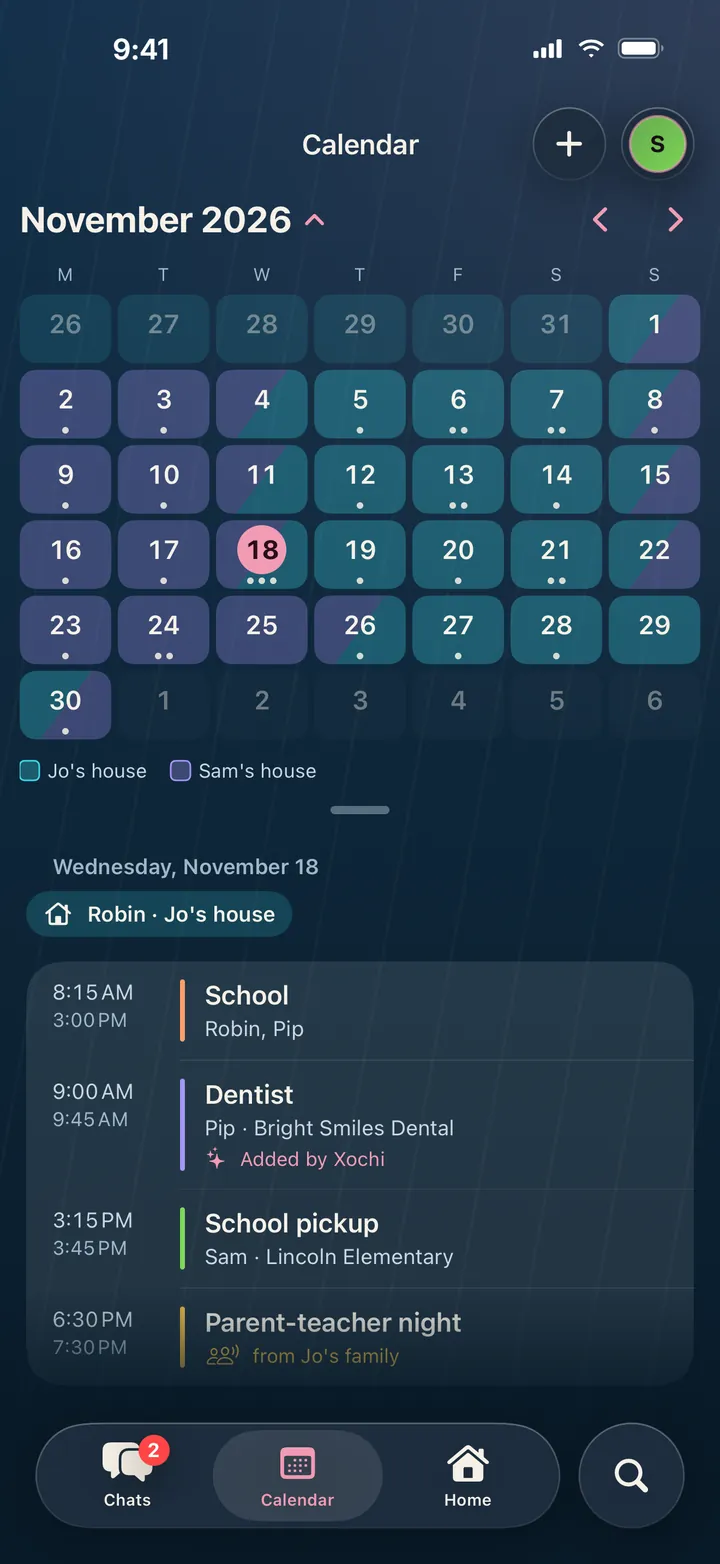
A calendar that fills itself
Connect Google Calendar, Outlook or Apple Calendar, and Xochi fills one family calendar from them. She checks new email in your main inbox for bookings and schedules too, and she asks when she can't tell whose plan it is.
flyers and schedules
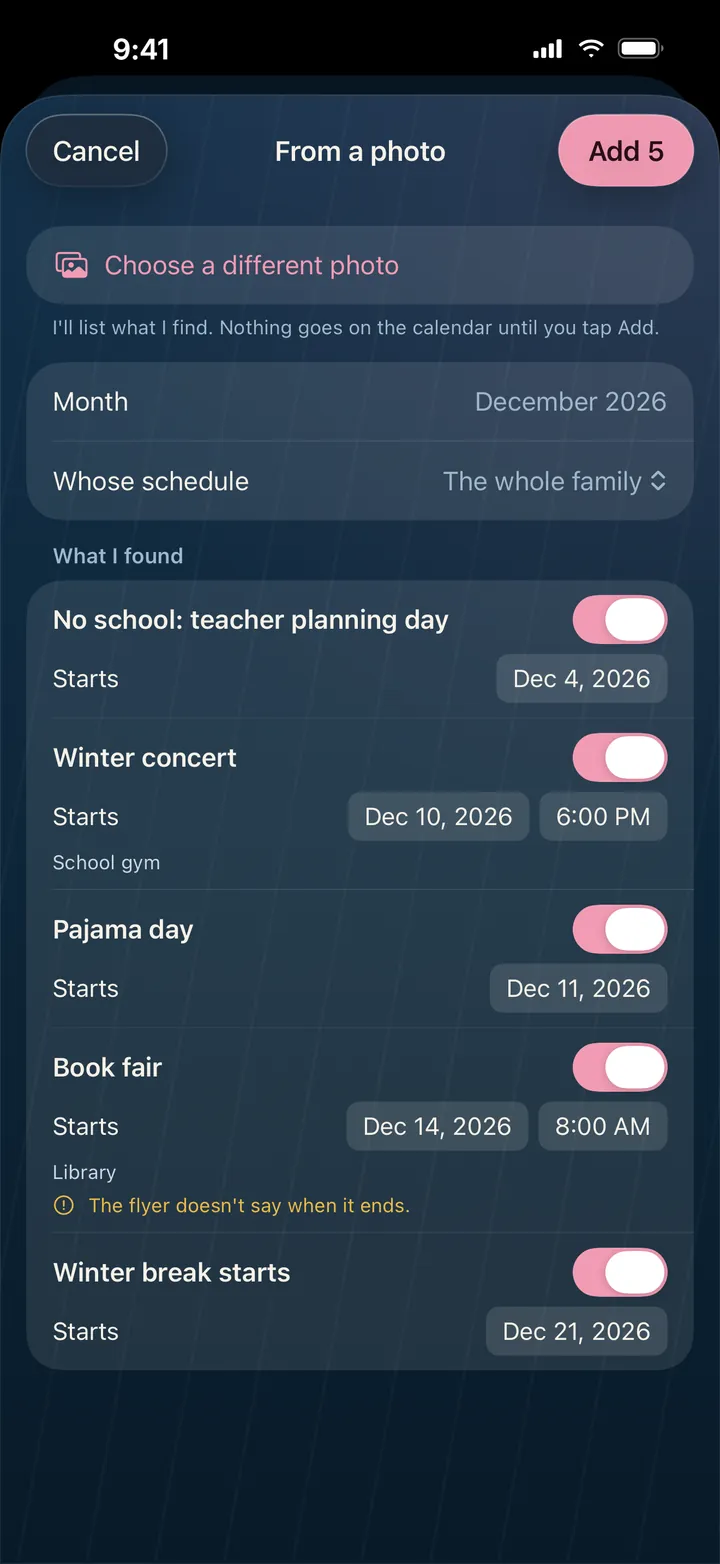
Turn a flyer into events
Photograph a school flyer or a practice schedule. Xochi lists the events she finds, and nothing goes on the calendar until you tap Add.
two homes
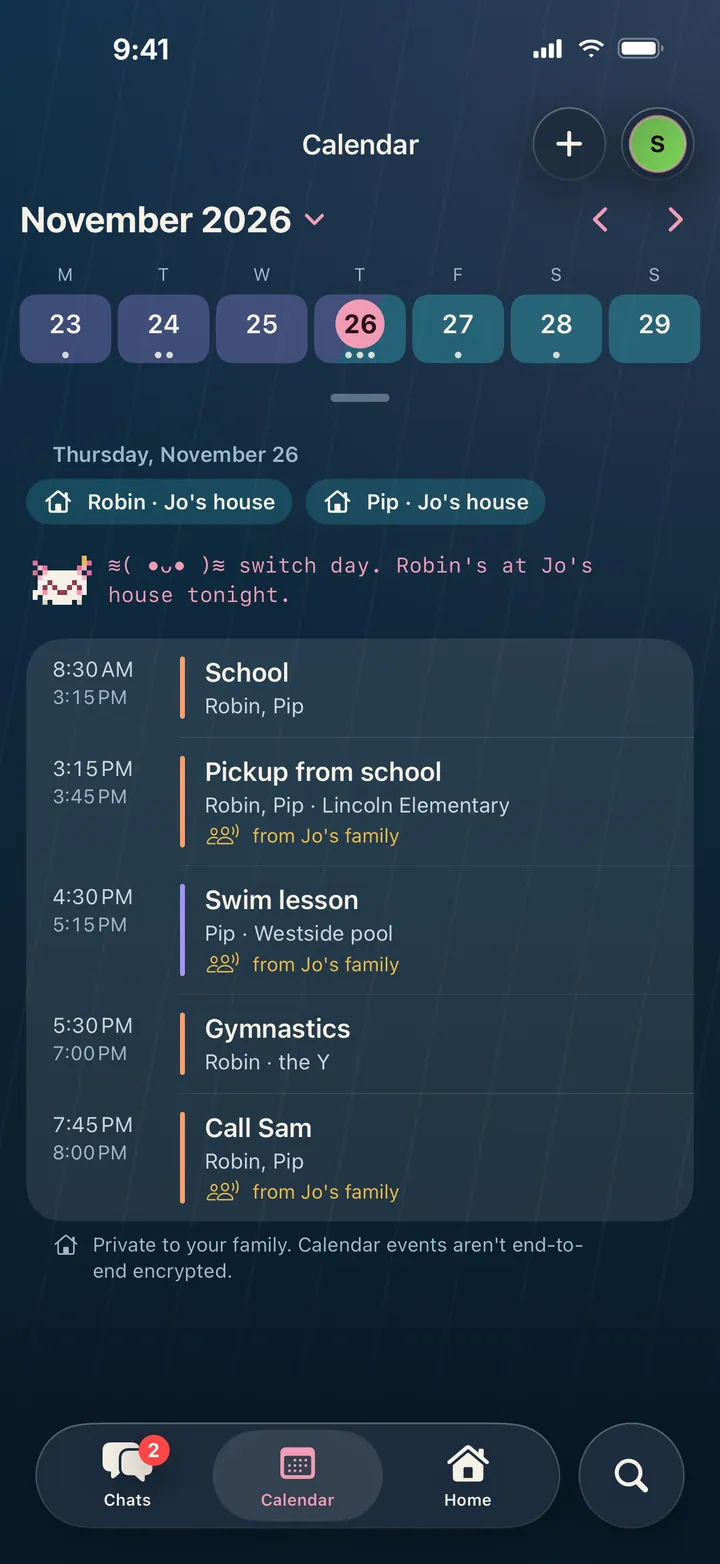
Two homes, one plan
Connect with a co-parent's household or the grandparents' once both families agree. Each family picks which events the other sees, and nothing is shared until you pick it. A kid's two homes both see which house the kid sleeps at each night.
Xochi, for grown-ups
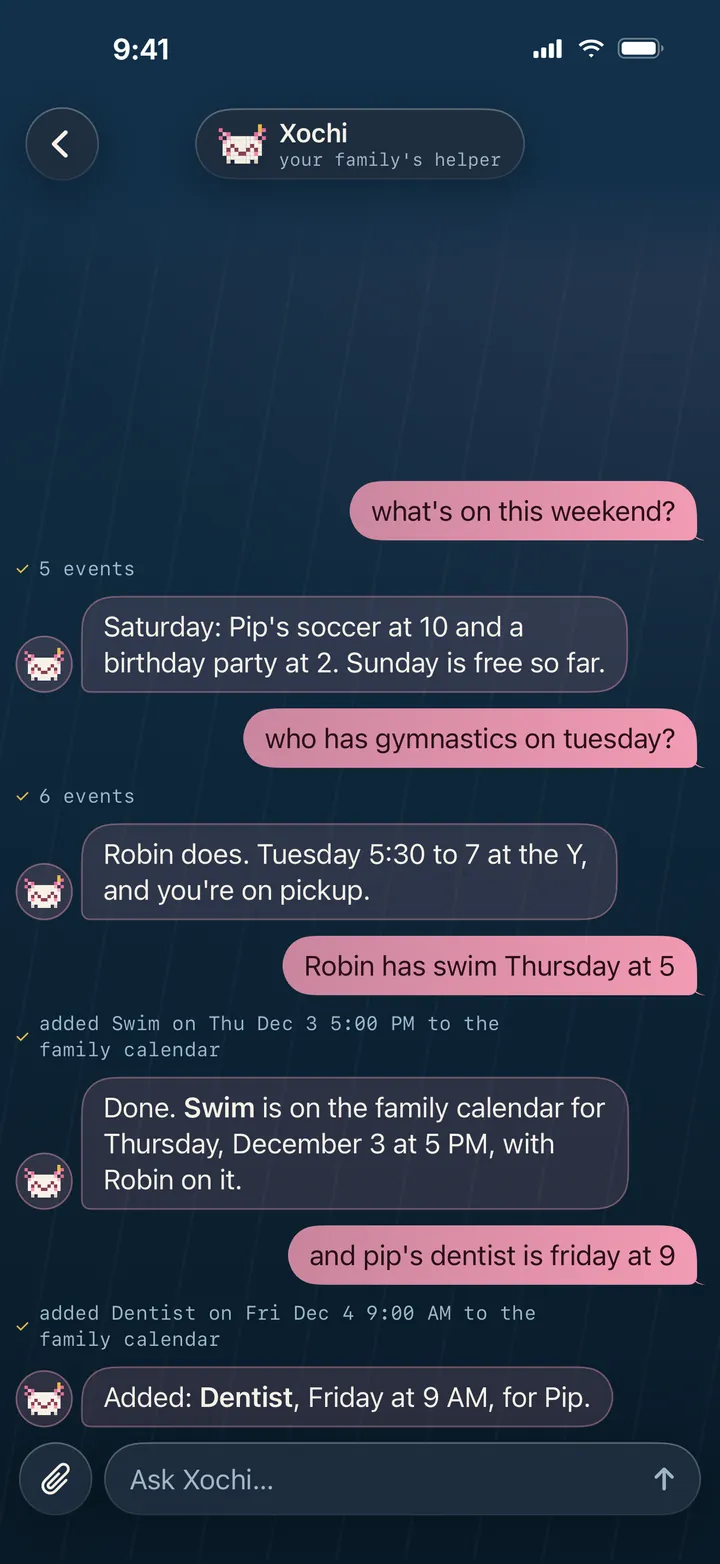
Ask Xochi, or tell her the plan
Ask “who has gymnastics on Tuesday?” and she checks the family calendar. Tell her a new plan and she adds it, or ask her to keep a list. She asks before doing anything that can't be undone. Everyday questions go to Wild Xochi; spend pearls and she thinks harder as Golden or Glow Xochi.
family chat
A family chat that's end-to-end encrypted
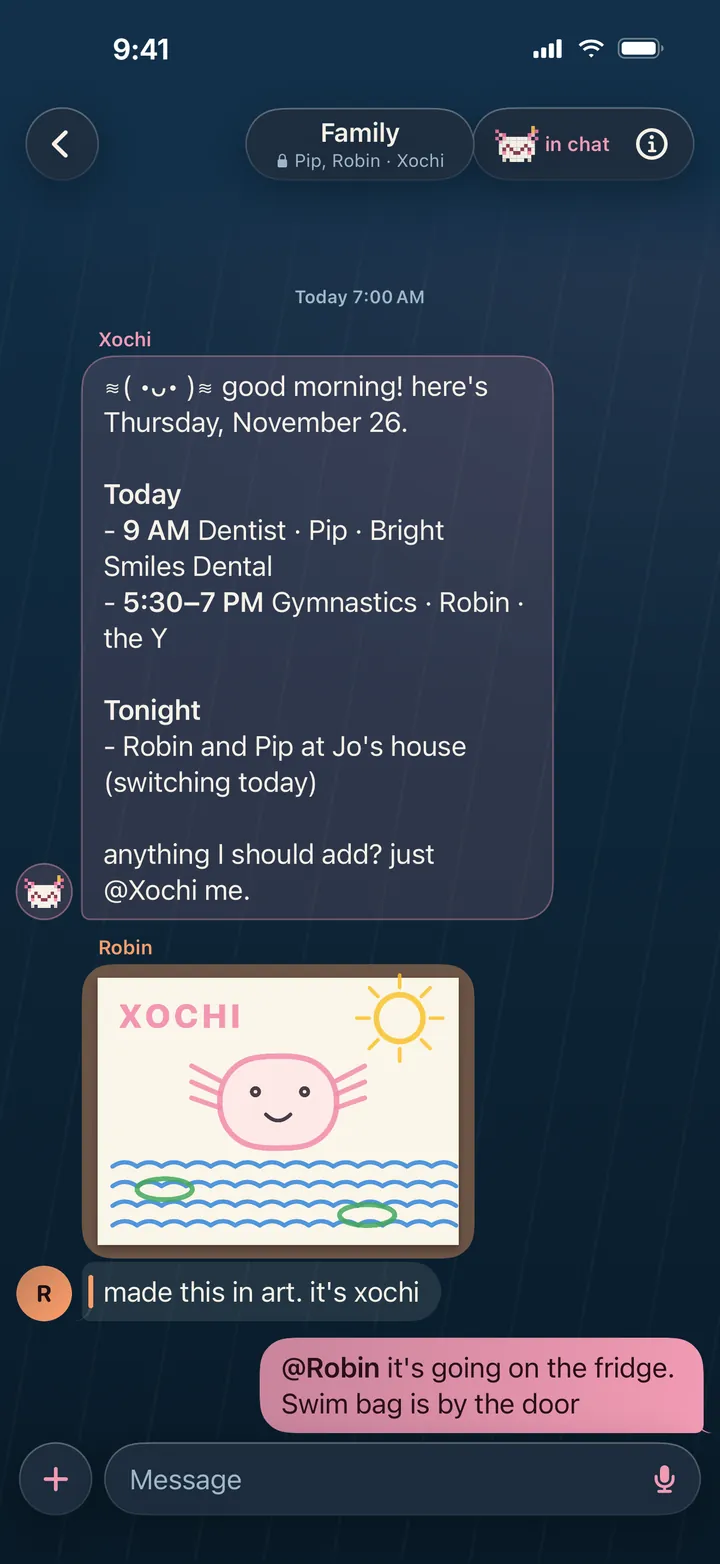
Photos, videos, GIFs and @mentions, and your phone holds the keys. Xochi reads only the chats someone adds her to. Add her to the Family chat and she posts the day at 7 each morning: today's events, which home the kids are at, and the Groceries list.
today
What's on now, and next
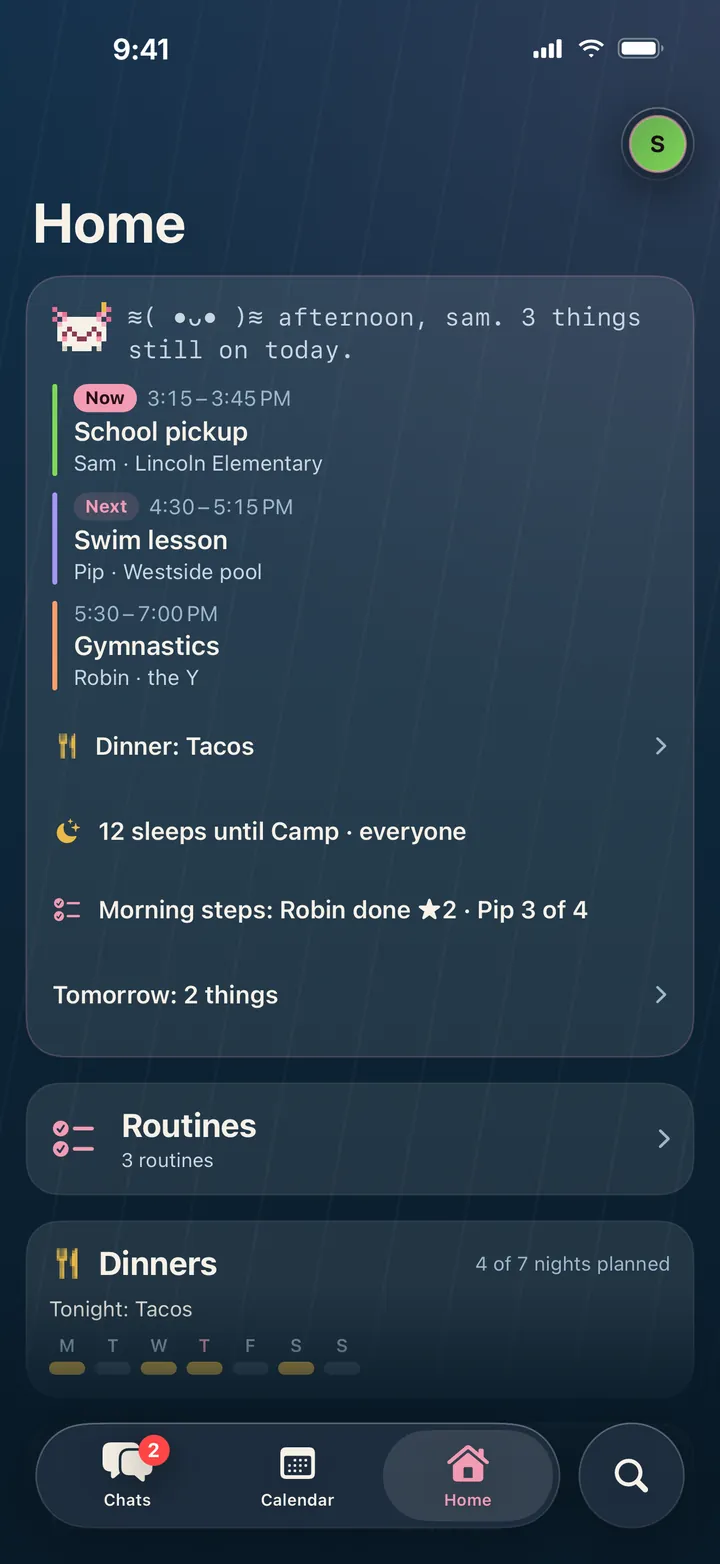
Home opens on Today: what's on now, what's next and what's tomorrow, with countdowns like “12 sleeps until camp” and how far each kid is through their morning steps.
lists and dinners
From a fridge photo to the grocery list
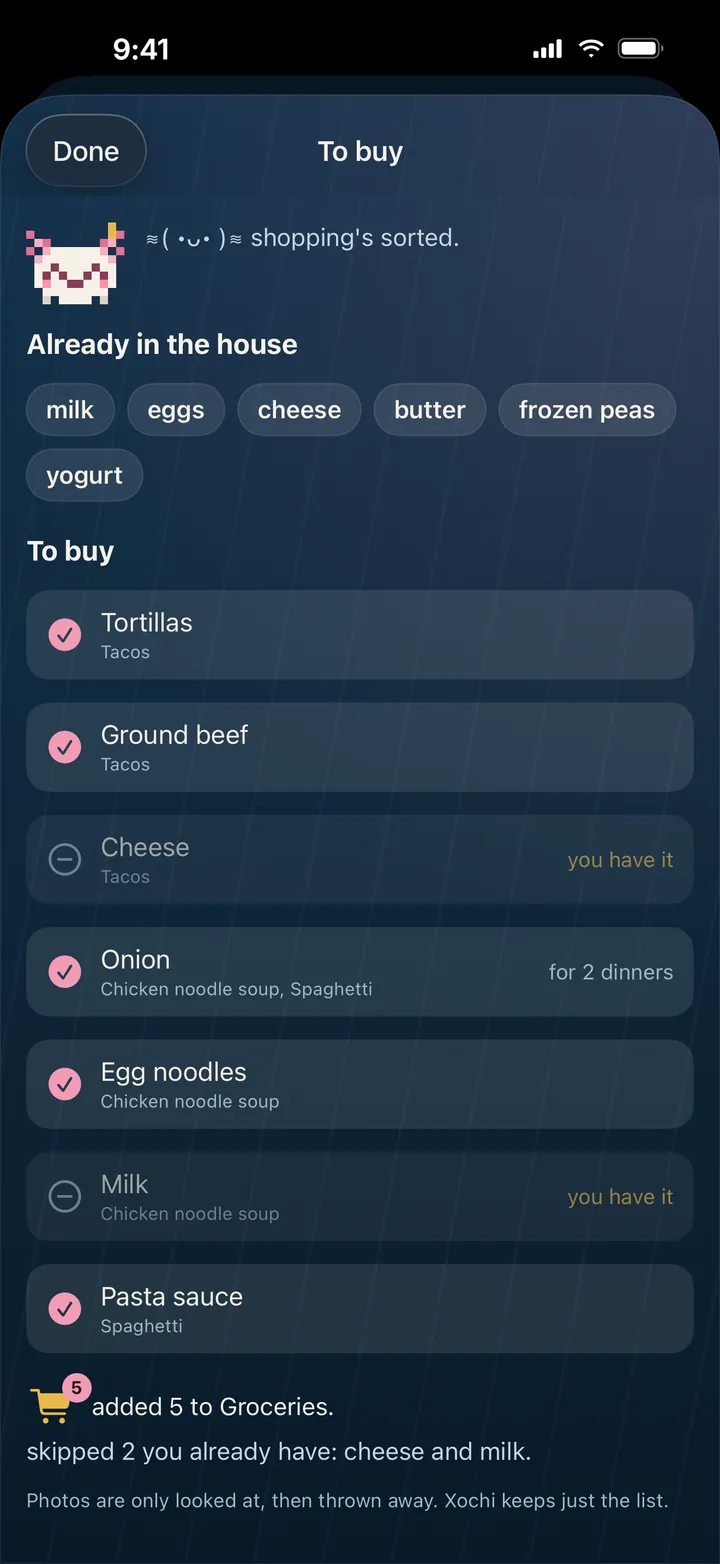
Shared lists, with a Groceries list for the shop. Plan the week's dinners, then show Xochi photos of your fridge and pantry. She puts what you still need on Groceries, and she doesn't keep the photos.
for kids
Kids get their own day
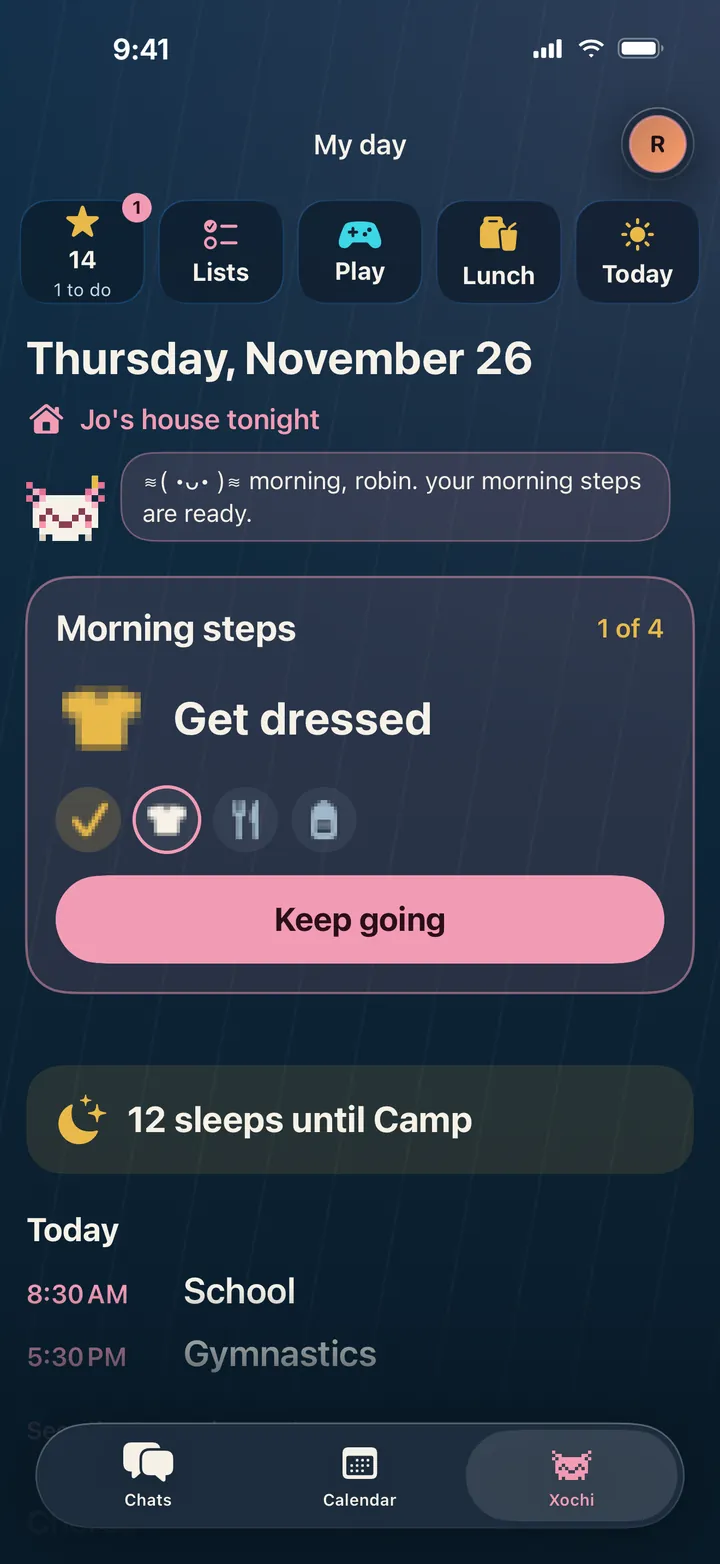
My day shows a kid whose house tonight, what's on, their morning steps, and chores with stars. Their Xochi answers with lines written ahead of time. A kid's questions never go to an AI.
the kids' side
Made for kids, run by grown-ups
A grown-up sets up each kid's account, for ages 6 and up, and decides what each kid can use. Kids chat with their family and get a kid version of Xochi. They never get answers from an AI.
-

Routines
Morning and bedtime routines, one step at a time.
-

Stars and milestones
A grown-up approves each chore. Stars add up to milestones you choose, like picking Friday's dinner, and they never go down.
-

Lily pads
A game kids play with Xochi, their family, and kids in a connected family once a grown-up in each family says yes. Players tap set phrases, with no typing.
-

Lunch planner
Kids fill each day's lunch box, a grown-up approves, and what's missing goes on Groceries.
compared
Where your family's plans live now
| Shared calendar and a group text | A typical family organizer | A typical co-parenting app | Xochi | |
|---|---|---|---|---|
| Getting plans on the calendar | Someone types each one in | Typed in, or imported by some apps | A parent types them in | Read from your calendars, booking emails and flyer photos. You tap Add. |
| Talking it over | In a separate group text | Often in a separate app | Messages between parents, kept as a record | A family chat in the same app, end-to-end encrypted |
| Two homes | The other home sees everything on the shared calendar | Built around one household | Built for two parents | Two families connect, and each picks which events the other sees |
| Price | Free | A free version, with paid upgrades | Free and paid apps | $4.99 a month for the whole family, after a free month |
“Typical” means what most popular apps of each kind say about themselves today. Apps differ, and they change.
privacy
What's private, in plain words
- Family chats are end-to-end encrypted. Your phone holds the keys. Our servers pass along copies they can't read.
- Xochi can read only the chats someone adds her to. Your own chat with Xochi is kept so she remembers it.
- Xochi's thinking is done by Anthropic's AI models. Under Anthropic's commercial terms, nothing Xochi sends them is used for training.
- Your calendar, lists, chores, routines and countdowns are private to your family. They're stored on Xochi's servers and aren't end-to-end encrypted.
- A kid's questions never go to an AI. Kids get a kid version of Xochi, who answers with lines written ahead of time.
- We don't sell your data, we don't show ads, and we don't use it to train AI models.
price
One price for the whole family
$4.99 a month per family
After a free month. Wild Xochi included; pearls let Xochi think as Golden or Glow when you want.
- Covers everyone in your family, whatever its size.
- Wild Xochi, your everyday Xochi, is included up to a monthly fair-use amount.
- Golden Xochi thinks harder, and Glow Xochi has the biggest brain. The family owner buys pearls in the app: A Handful of Pearls ($4.99), A Pouch of Pearls ($9.99) or A Treasure Chest of Pearls ($19.99).
- Paid through your Apple ID. Cancel anytime in Settings: tap your name, then Subscriptions.
questions
Questions people ask
How do you say Xochi?
ZO-chee.
Is Xochi on Android?
No. Xochi is for iPhone only, and needs iOS 18 or later.
Do kids talk to an AI?
No. Kids get a kid version of Xochi who answers with lines written ahead of time, and a kid's own questions never go to an AI model.
If a grown-up asks Xochi something in a group chat a kid is in, that chat's recent messages, the kid's included, go to Xochi's AI so she can answer the grown-up.
Who sees my events?
Your family. Events are private to your family and stored on Xochi's servers, where they aren't end-to-end encrypted.
A connected family sees only the events your family chooses to share with it. Events marked Only you are never shared.
What does it cost?
$4.99 a month for the whole family after a 30-day free trial, paid through Apple. There's no limit on family size. Wild Xochi is included; pearls, for when you want Xochi to think as Golden or Glow, are optional.
How do two homes work?
Each home is its own family in Xochi. The two families connect when both families' owners agree, and either family can disconnect at any time.
Each family picks which events go to the other. Chats between the two families are end-to-end encrypted, and each family's own Family chat is never shared. A kid's co-parent in the other home sees which house the kid sleeps at each night, and kids in the two families can play games together once a grown-up in each family says yes.
Does everyone have to switch calendars?
No. Each grown-up connects the Google, Outlook or Apple calendar they already use. Xochi reads them to fill the family calendar, and adds events only to the calendars you pick.
Where do I get help?
On the support page, or email support@axolotllabs.io.
Try Xochi free for a month
Start a family, connect your calendars, and see what Xochi finds.